Making navigation in WordPress 7.0 easier to design and harder to break
My role
Instigator and project lead
Shipped in
WordPress 7.0
Timeline
First raised in 2022, shipped in 2026
Built with
Colleagues at Automattic and WordPress contributors
For years, WordPress gave you very little say over the menu that opens when a visitor taps the hamburger icon on a phone. The links in your menus also broke whenever you renamed, moved or deleted a page. WordPress 7.0 fixes both.
What was going wrong?
The mobile menu
The overlay is the full-screen menu that opens when a visitor taps the hamburger icon on a small screen. Before 7.0 it allowed only a small set of blocks and design options. It was also tied to your desktop navigation, so changing one changed the other.
On a phone, that menu is how visitors get around your site. People wanted it to match the rest of their design, and they couldn’t make it.
The gap was big enough that I released a plugin, Responsive Navigation Block, to fill it until a solution landed in WordPress itself. It has over 1,000 active installs.
Links that went stale
Links in a menu were static. Rename a page, move it or delete it, and the menu kept pointing at the old address.
Nothing in the editor told you. You couldn’t see whether a link pointed at a published page, a draft or something in the Trash, so it was hard to know which links still worked.
Why did it take so long?
Not for want of trying. People explored overlays for years, but there were several reasonable ways to build them, and it was hard to settle on one that everyone could get behind.
- March 2022 I opened an issue asking for a customisable overlay.
- September 2022 Another contributor proposed building overlays from template parts.
- October 2023 I opened a pull request to explore that idea. It didn’t land, but template parts are what overlays use today.
- November 2025 I proposed overlays and simpler link editing as priorities for WordPress 7.0, then wrote up the work as tracking issues.
- January 2026 We published a call for testing, well ahead of the cutoff.
- February 2026 Everything landed before the feature cutoff.
- 2026 Released in WordPress 7.0.
What did I do?
I started this work and led it. Building it was a team effort, with colleagues at Automattic and contributors from across the WordPress community doing much of the design, engineering and testing.
- I showed the WordPress release leads why navigation deserved contributors’ time in 7.0, what the work would cover and what it would change for users.
- I set up the projects on GitHub and wrote the specs for every strand, starting with the tracking issues for overlays and link editing.
- I built prototypes so we could agree on the user experience before writing production code.
- I led the decisions on what was in and out of scope for the release.
How did we agree this time?
I built quick, low-fidelity prototypes of the competing approaches. They weren’t production code and took little effort to make.
That was the point. Contributors could try each idea, see the trade-offs for themselves and make the key calls on behaviour. Nobody got attached to one implementation, because none of them had cost much.
For overlays, one prototype edited the overlay in its own focused editor. Another let you edit it in place, inside the Navigation block on the page. A third tried out link editing in the sidebar.
Editing in place felt more direct, but it raised hard questions about accessibility, SEO and how editing would flow. We chose the focused editor because it was stable and predictable.
Once we’d agreed what to build, writing the specs was straightforward. We could then put serious design and engineering time behind one direction.
What did we leave out?
WordPress releases have a hard feature cutoff, so the hardest calls were about scope. We left these out on purpose.
- Mega menus Overlays needed to be a solid foundation before we built bigger menus on top.
- Slide-in overlays We kept the full-screen pattern people already knew, rather than add new overlay types.
- Custom breakpoints Choosing when the mobile menu appears is a popular request, but it’s a separate piece of work.
- Menu syncing The overlay doesn’t copy your main menu, so you’re free to show a different one on mobile.
People clearly want mega menus. They came up again and again in the comments on my roadmap video, which makes them a strong candidate for what comes next.
What shipped?
The screenshots are from my roadmap video in December 2025, partway through the build.
Overlays
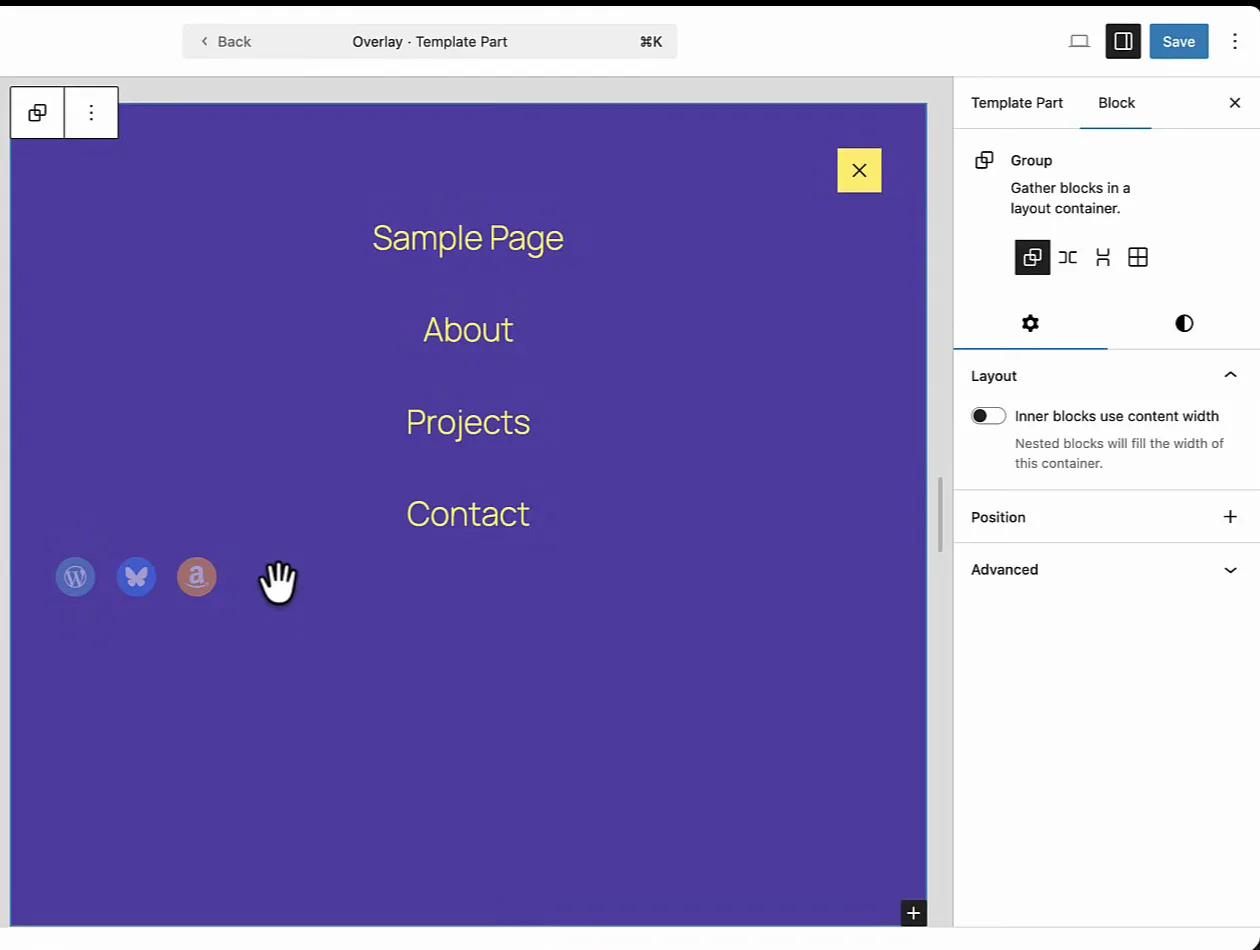
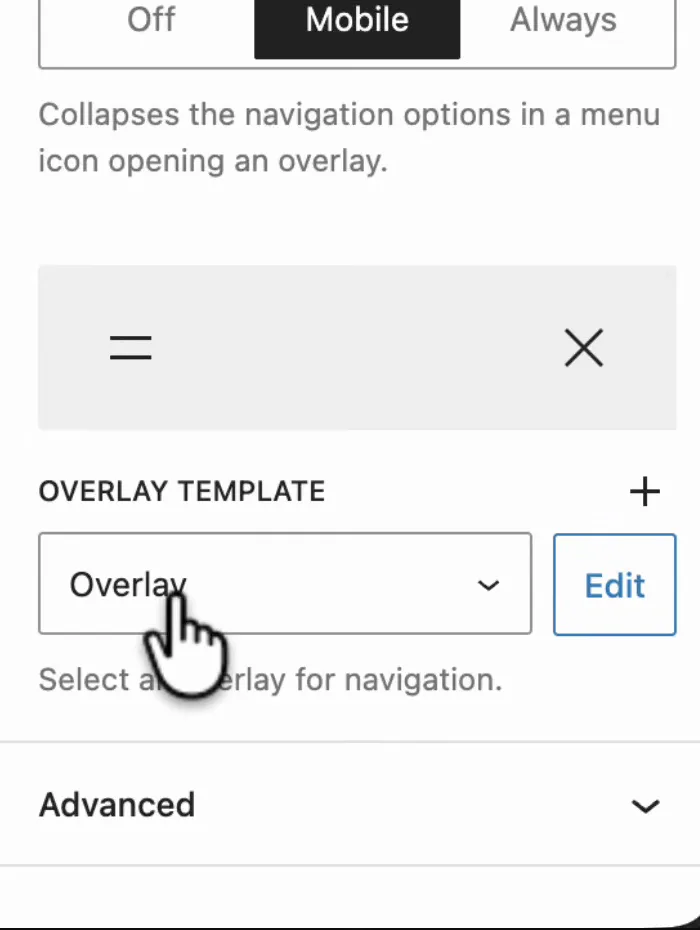
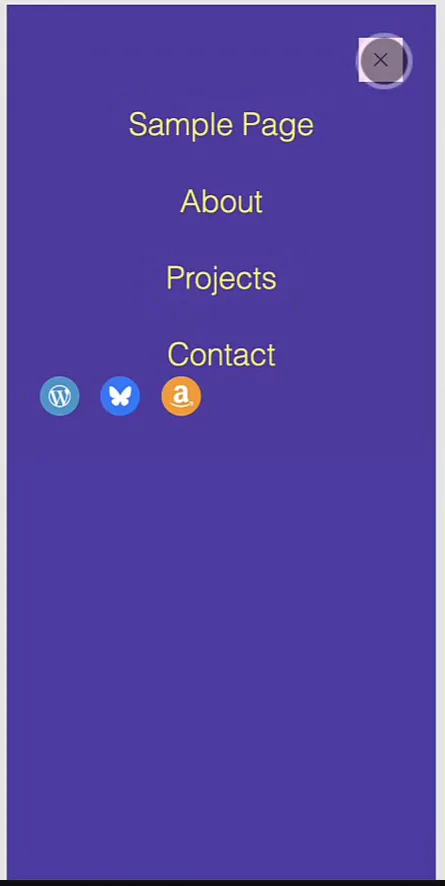
Picking an overlay in the Navigation block’s settings, and the result on a phone
- You design the mobile overlay with ordinary blocks, separately from your desktop navigation.
- You create an overlay, or pick an existing one, from the Navigation block’s settings.
- You can start from a pattern supplied by WordPress or your theme.
- Custom overlays work like the default one, and we audited them for accessibility and SEO before release.
Links
- Links to pages, posts and categories follow what they point to. Rename or move a page and the menu keeps up.
- Each menu item shows the status of what it links to, such as a draft or a page in the Trash, with a way to fix it.

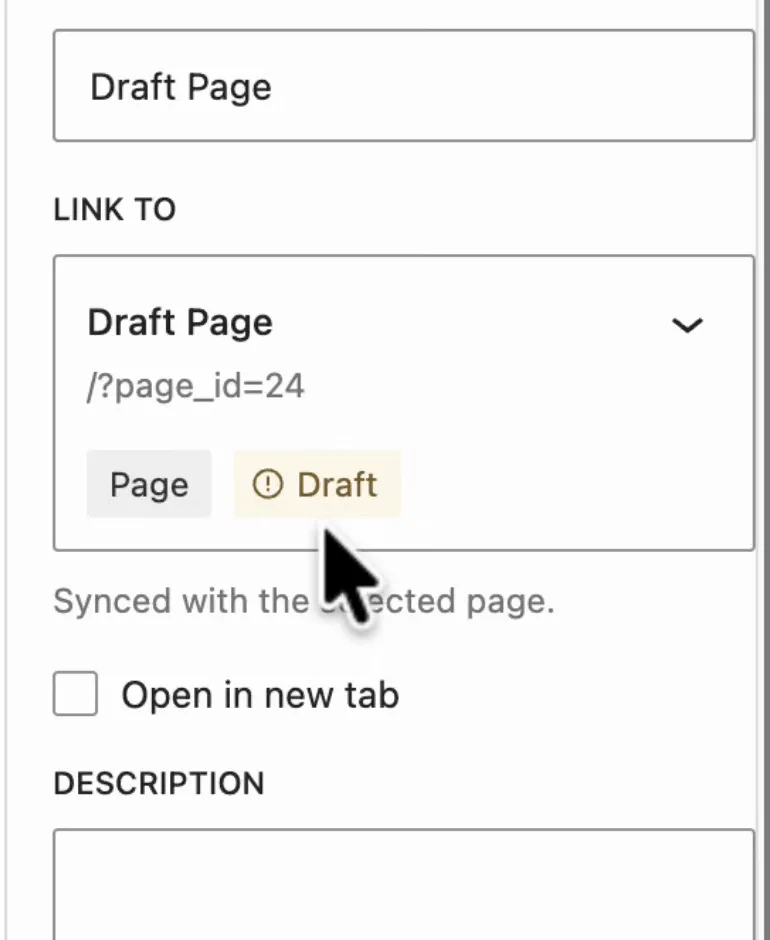

Each link shows its page’s status, and a link that isn’t a real web address is caught as you type
How did people react?
Hard numbers are difficult to come by on a project as big and open as WordPress. Reactions are easier to find.
 Watch the WordPress 7.0 Navigation roadmap on YouTube
The roadmap I shared on YouTube in December 2025
Very impressed. I cannot wait to play with these PRs and share feedback.
Elliott Richmond, commenting on the video
Six months later, a colleague presented the finished work at WordCamp Europe 2026.
What would I do differently?
Not a lot, but I’d demo more of the work in the open. I shared the roadmap video on YouTube and posted it on the public Navigation tracking issue, but that was a single update.
Next time I’ll post shorter videos on YouTube as each prototype comes together, so more people can see the options and help shape the direction early. With today’s AI tools that’s quick to do.

Want to talk about this work?
I’m Dave Smith, a product-focused engineering leader at Automattic and WordPress core committer. If you’d like to hear more about this project, or something like it, get in touch.